Tape Backup Software

Affordable, reliable, easy and fast

Products Box Shot - BackupAssist Classic - v11-web

Free 30 Days Trial

Need affordable tape backup software?

You want something that’s lightweight and easy to use, without compromising the advanced archiving capabilities your data retention policy requires.

Well, what you need is BackupAssist.

BackupAssist’s tape backup software add-on offers the performance and reliability your business needs, at a price that’s perfect for SMBs of all shapes and sizes.

What’s more, while BackupAssist can be tailored to satisfy even the most tech-savvy IT Professional, it’s also set-and-forget simple for the average business owner.

Linus Chang

Founder

BackupAssist’s tape backup software gives you:

  • A reliable tape drive backup solution that won’t blow your budget.
  • Straight-forward installation and setup
  • Support for full, incremental or differential backups to a tape drive
  • Multi-threaded compression and open zip format for space saving
  • A reliable tape drive backup solution that won’t blow your budget.
  • Straight-forward installation and setup
  • Support for full, incremental or differential backups to a tape drive
  • Multi-threaded compression and open zip format for space saving

BackupAssist’s tape backup software gives you:

BackupAssist supports standalone tape drives installed on the same machine as BackupAssist. This popular tape drive implementation is made even easier with BackupAssist’s intuitive UI, and our simple step-by-step job creation wizard. Instead of a screen full of settings and configurations, you will be guided through each type of setting, such as the backup schedule and the data selection, in the correct order.

A truly affordable tape solution:

While many vendors have dropped tape support, BackupAssist has made a commitment to retaining and maintaining this feature through our Zip- to-Tape add-on. And because we know tapes are still favored by small business, we have priced it at our cheapest Add-on level. That means you get a dedicated Tape drive Add-on with the support of a cutting edge backup suite. What could be better value than that? BackupAssist uses a series of steps to create your backup job, such as what data you want to back up and what backup schedule you want to use. For tape drives, the following specialized steps to make your job easy.

Here's what it looks like

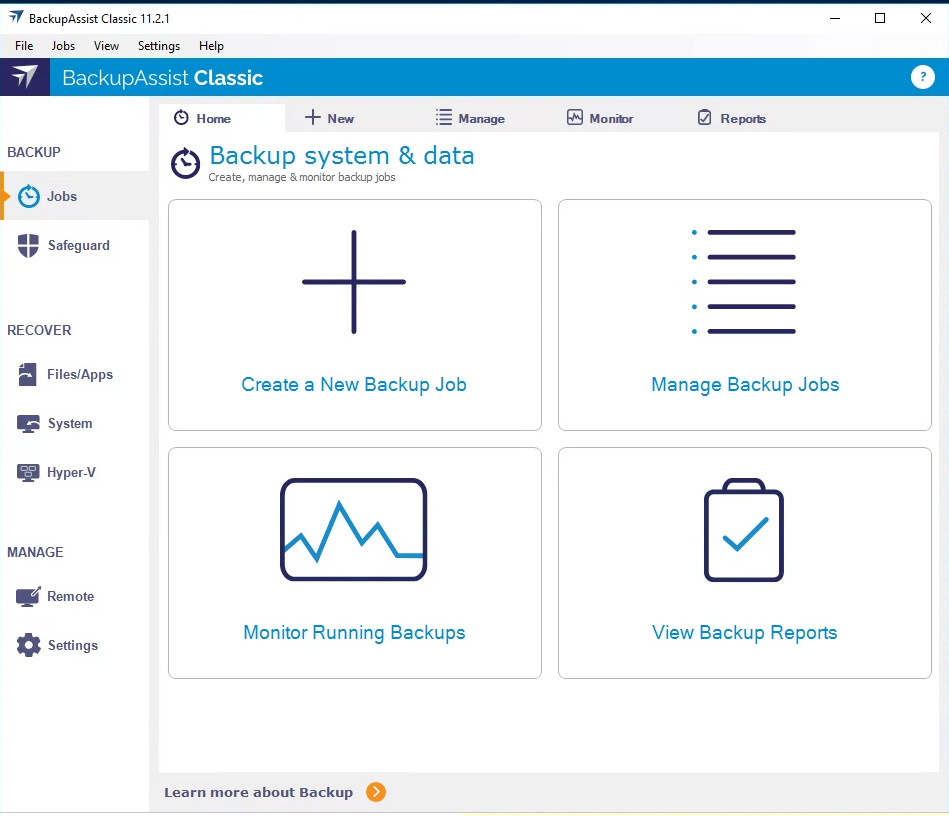
BackupAssist Classic App
File Archiving is a feature rich backup type with full Zip to Tape Add-on support. With data compression and encryption, it’s the perfect match for backing up data to a tape drive.
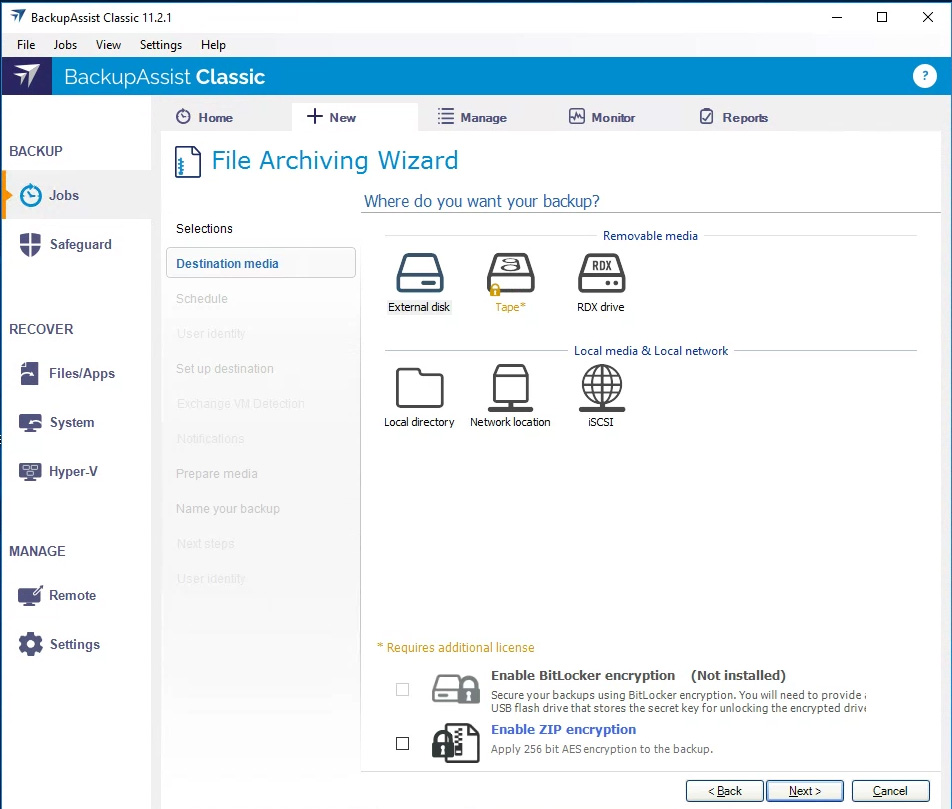
BackupAssist Classic App
Selecting the tape drive destination is as simple as selecting the icon. Want encryption? Just tick the box.
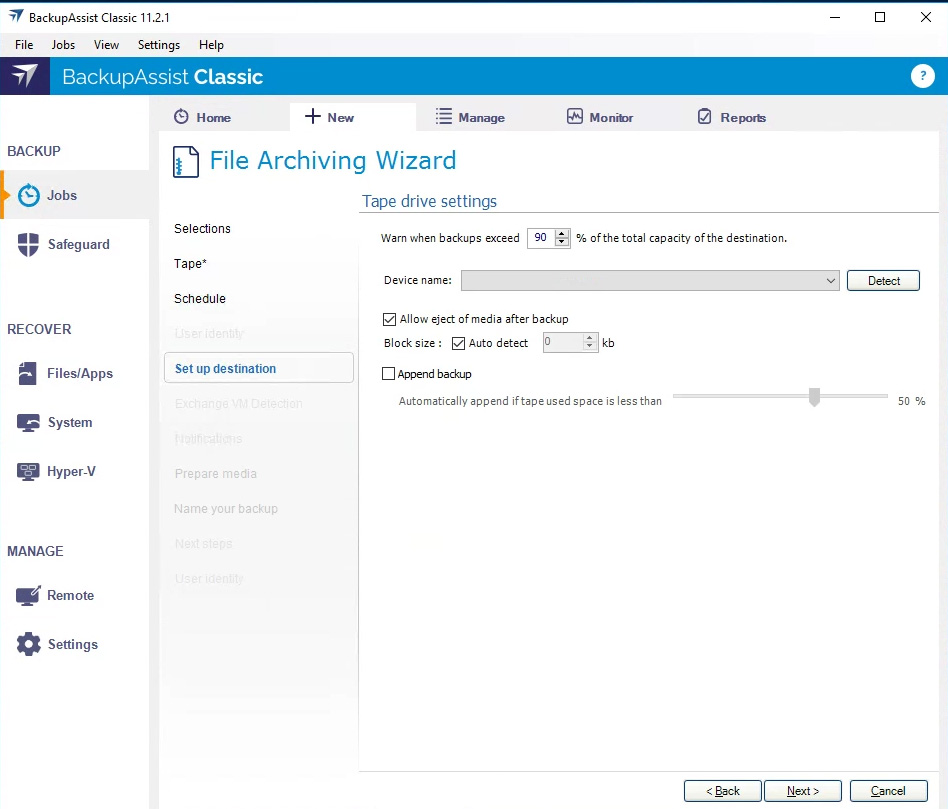
BackupAssist Classic App
You destination selections are used to create a single configuration screen. Use the device selection drop down to select the tape drive or if required, have BackupAssist detect it.
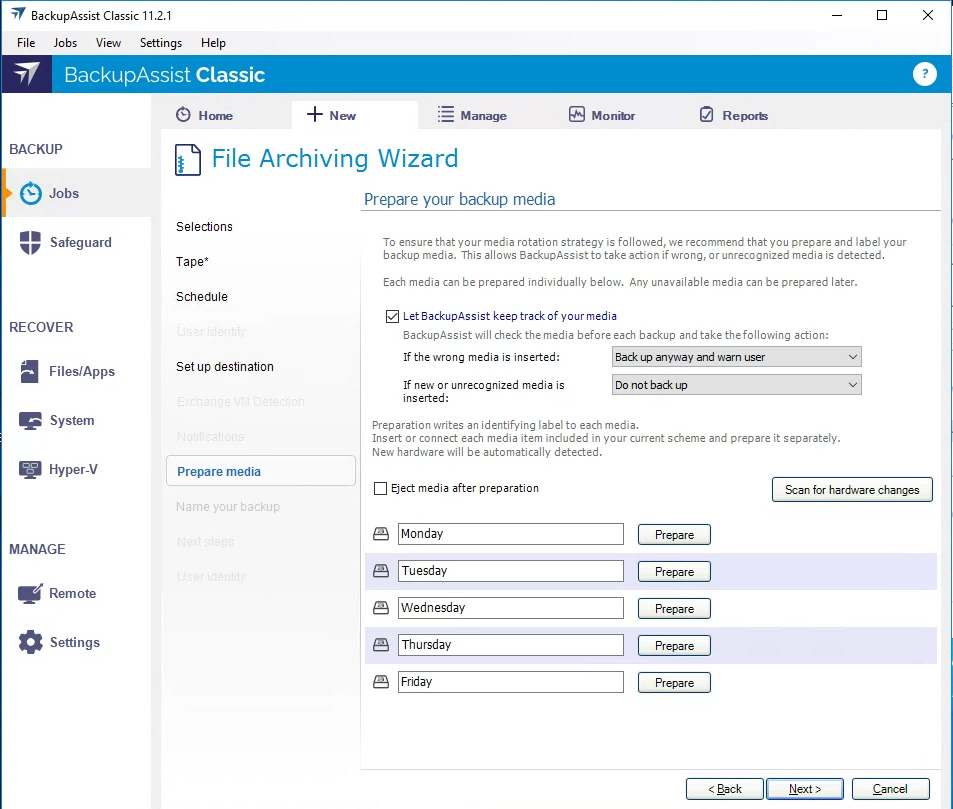
BackupAssist Classic App
Our Prepare media screen will allow you to add a digital label to each tape so that BackupAssist knows what day in the backup schedule the tape should be used on.
clientele-banner